General
Overview Download Purchase FAQ Release History
User Guide
Installation Getting Started Standard Mode Screen Saver Mode Set Selector Set Configuration Clone Settings Interactive Demo
Other Products
Report Maker Nursery Manager

Questions or Comments? Advice for me or from me? Please email me.


Getting Started

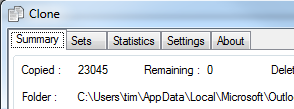
The first thing you need to do is configure the files that you want backed up. This is done on the following screen which is accessed from the icon on the main Clone screen :-


For detailed information on the operation of this screen see :- Configuration Screen
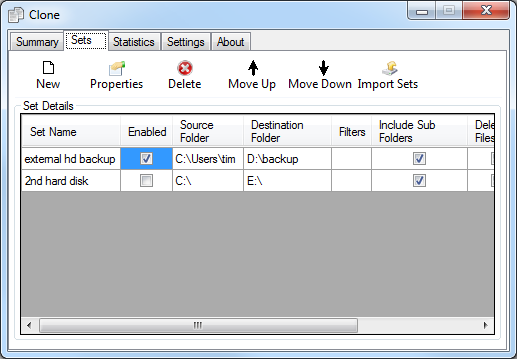
The screenshot above shows the various sets configured, e.g. "Tims Documents". The list will be empty the 1st time you run clone. Once you add a new set using the add button you will see it in the list. The check box on the left hand side of the set name allows you to include (when checked) or exclude the set. For example if you configure Clone on your laptop you will want to exclude files that are normally backed up to your work server when you are using your laptop at home.
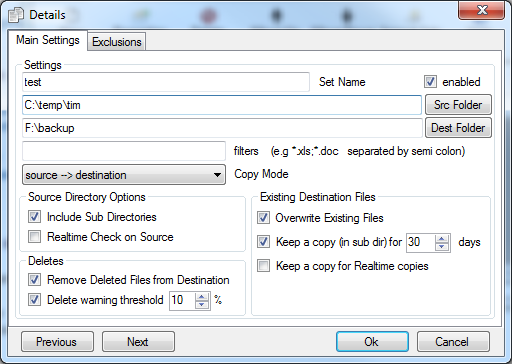
The Add / Properties button takes you to another configuration screen. This is shown below :-


This screen enables you to configure the exact details of the current set. You can choose to backup an entire directory, a single file or files that match a filter. You can set several options relating to a set, these are described in more detail in Set Configuration Screen .
 Comment by Steve Thomas
I want to thank you for Clone which has saved all my files for me. I had used Clone to backup all my files to a second hard drive just before the C drive failed so I have been able to get them all back.
 Comment by Todd Kargl
I ordered Clone this morning ! I love it and won’t be able to live without it !!!!! I finally got around to using it with my CD writer last night and I didn’t have any problems (as I expected !). It works perfectly and saves so much time !
 Comment by Bob Lockhart
I'll be recommending this utility to anyone who needs a back-up solution that is functional without a lot of overblown code.

© 2007 Newton Software Solutions Limited